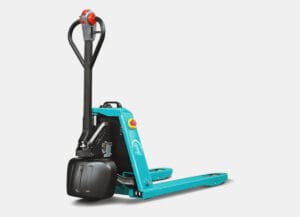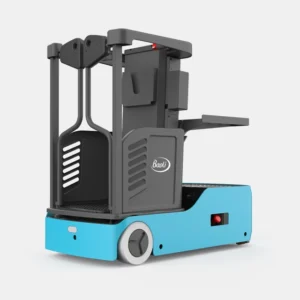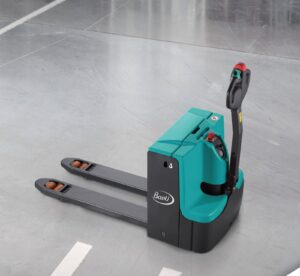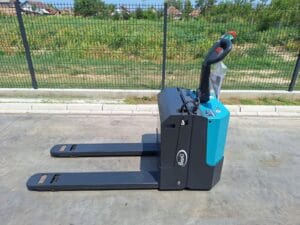
Ordering warehouse equipment has followed the same path for years: an email with a query, waiting for an offer, then another round when the model or quantity changes. For machines that are configured on demand it still makes sense. For pallets that are in stock — none.
Therefore, from the beginning of September 2026, you can order equipment from our warehouse directly from the web shop, at any time of the day. You see the price before you send anything, a proforma invoice with all the payment information arrives in your e-mail at the moment you confirm the order, and the goods are delivered after the recorded payment.
The web shop is intended exclusively for registered business entities — to companies and entrepreneurs. We do not sell online to physical persons. That is why the company name, PIB and registration number are mandatory when ordering: these are the data on the basis of which we issue a preliminary invoice, and upon delivery, an invoice through SEF.
Content
- Why order from the web shop
- What to prepare before ordering
- Shopping step by step
- After the order: payment and delivery
- Frequently asked questions
Why order from the web shop
The web shop is not a substitute for cooperation with sales — we are the same people and the same warehouse. It solves one specific thing: it takes the wait out of buying equipment that’s off-the-shelf, off-the-shelf, and requires no configuration.
- The price is known before every contact. On each product page is the amount in euros without VAT, below it is VAT and the total amount, all converted into dinars at the middle exchange rate of the National Bank of Serbia on the day of ordering. There is no negotiation about what is included in the price.
- The estimate arrives at the same time. Not the next business day and not when the salesperson returns from the field. The proforma invoice contains all the information for payment, and for amounts up to RSD 300,000 i IPS QR code which is scanned from the banking application. Above that amount, payment is made by ordinary transfer order, according to the data from the same document.
- The exchange rate is locked at the time of the order. The dinar amount on the invoice is the final payment amount — it does not change while the invoice is valid.
- Working hours do not limit you. You can complete the order on Saturday evening; they will be waiting for us on Monday morning, with the document already issued.
- The goods are from stock, delivery is free. We deliver with our own vehicle on the territory of the Republic of Serbia, to the customer’s warehouse, at our expense.
- The service is behind the purchase. Own service center in Bačka Palanka, spare parts and 12-month warranty for legal entities.*
- The terms are written and can be saved. The general conditions of sale, method of payment, delivery, warranty and complaint procedure are on the pages Help with shopping i Legal documents, in downloadable and printable form.
What to prepare before ordering
The whole process takes a few minutes if the data is at hand. You will need:
- company name, PIB (nine digits) i social security number (eight digits);
- shipping address and billing address, if different;
- e-mail — you will receive the order confirmation and invoice;
- phone number of the person the driver can call upon delivery.
A user account is not required. You can order without opening an account. If you open it, on the page My account an overview of orders and saved addresses remains, so each subsequent purchase is shorter.
Shopping step by step
1. Find a model
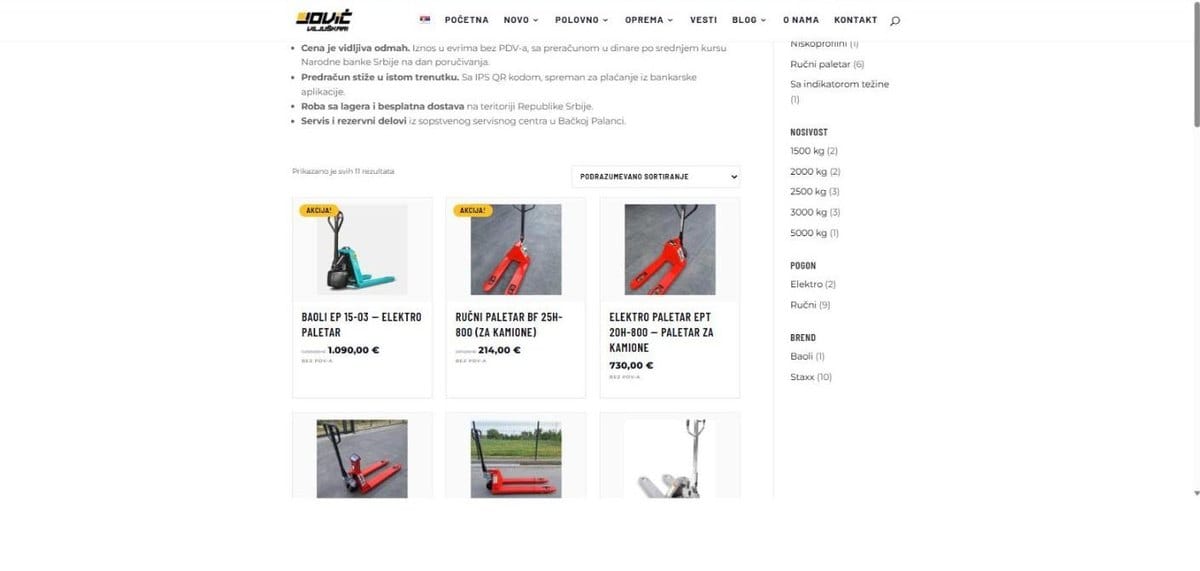
Page Shop it shows everything that is currently in stock. The filters on the right narrow the selection by pallet type, load capacity, drive and brand — for example, electric drive and 1,500 kg load capacity in two clicks provide a short list.
2. Check price and availability
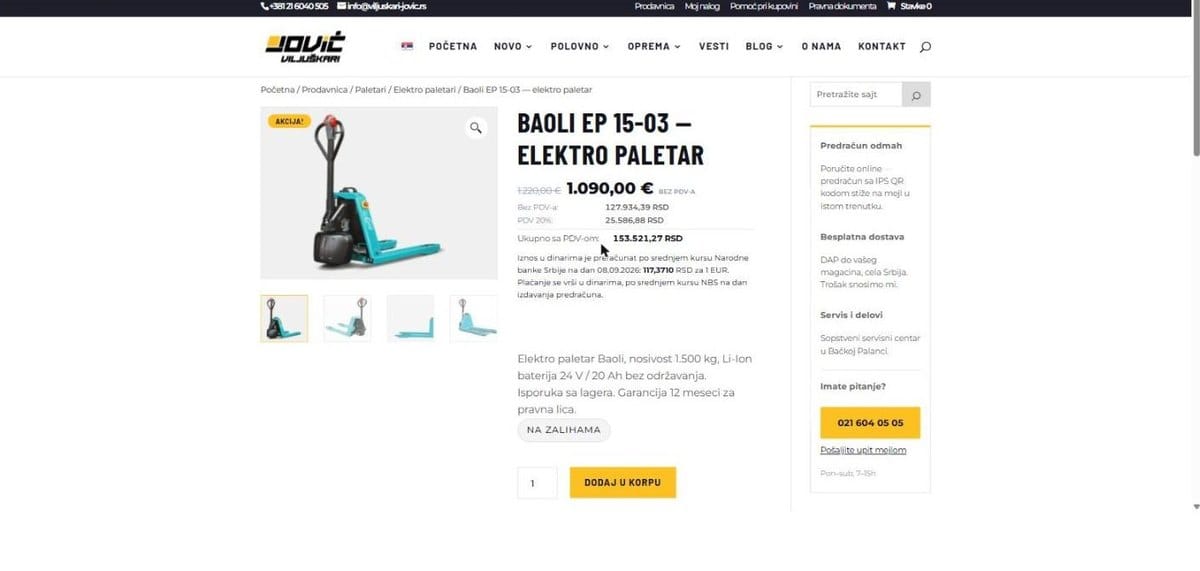
On the product page, the price is displayed in three lines: amount without VAT, the amount of VAT and the total including VAT, with the dinar equivalent and the indicated exchange rate at which it was converted. Label In stock means that the machine is physically in the warehouse in Bačka Palanka. Below the price is a short description with capacity and basic information about the machine.
3. Add to cart
Enter the quantity and click Add to cart. All amounts in dinars are in the basket: base, VAT and total amount, with a visible delivery item. Here you can still change the quantity or remove the item.
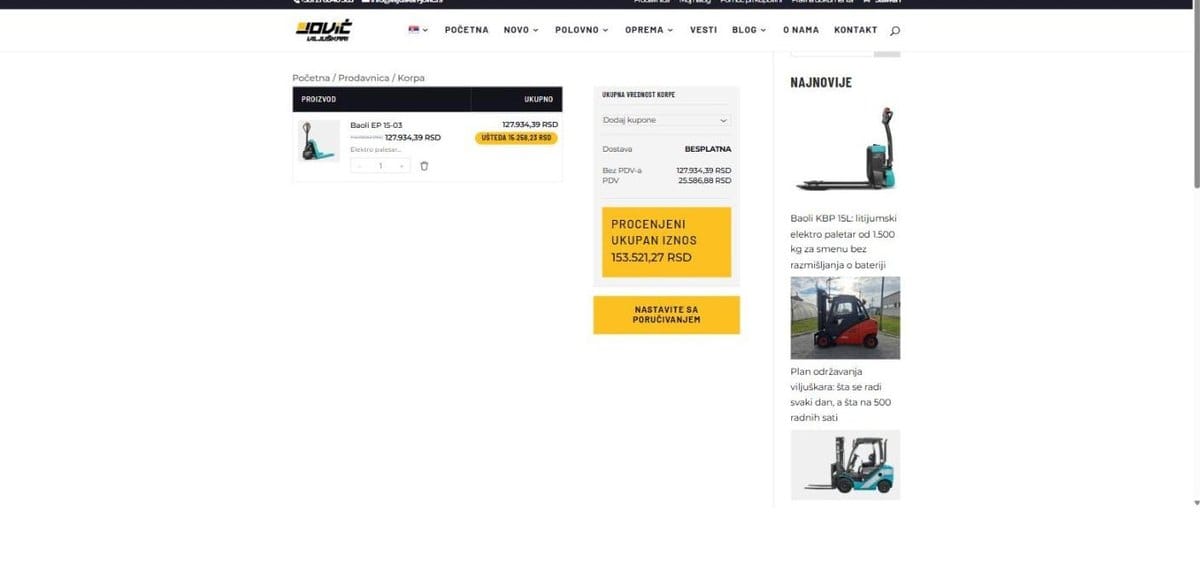
4. Enter the company information
Click on Continue ordering takes you to the payment page. Enter email, shipping address and, if different, billing address. The payment method is Burmese payment — according to the transfer order, according to the instructions from the promissory note.
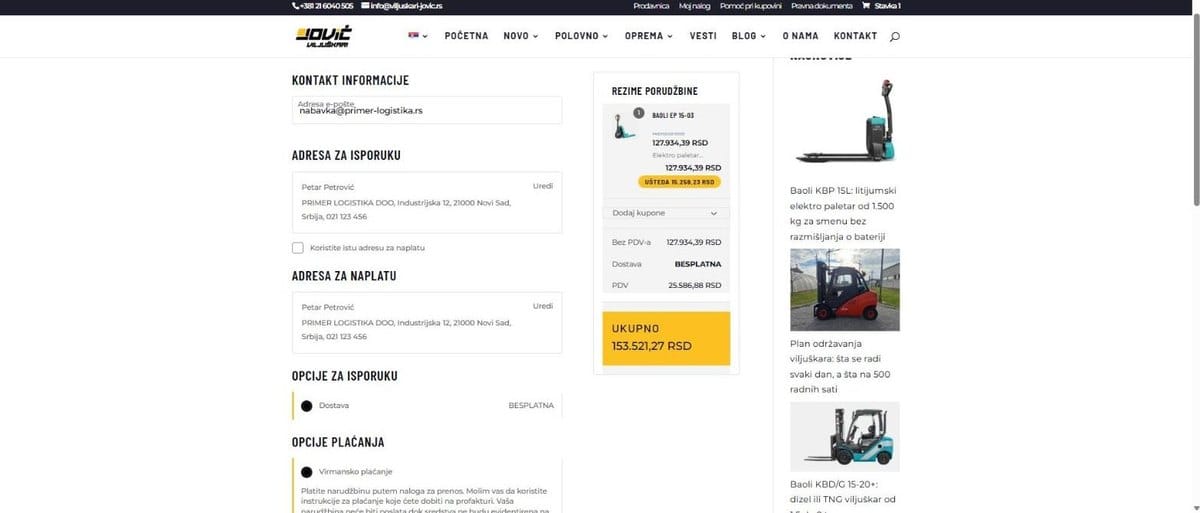
5. PIB, registration number and confirmation
In part Additional information about the order PIB and registration number are entered. Both fields are required and are checked upon entry — an incorrect number of digits or an invalid check digit will be flagged immediately. It remains to accept the general conditions of sale and click Order.
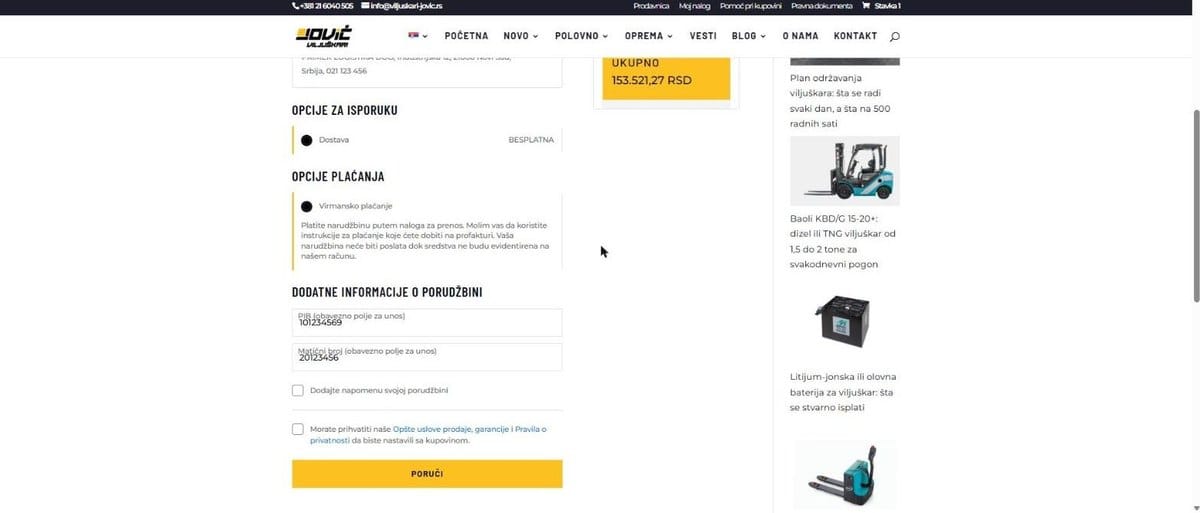
6. Estimate to e-mail
Immediately after the confirmation, a page with a summary of the order and a link to the invoice in PDF opens; the same document arrives in the e-mail. It contains the information of your company, items, amount in dinars, call number and, for amounts up to RSD 300,000, the IPS QR code.
After the order: payment and delivery
The estimate is valid for three days from the date of issue. Payment is made in dinars, by transfer order or by scanning the IPS QR code; when making a payment, it is mandatory to indicate the reference number from the invoice, because it is used to match the payment with your order.
The goods are delivered upon registered payment to our account, within ten days or as agreed with you. We drive the warehouse equipment with our own vehicle to your warehouse, at our expense; spare parts are sent by courier at the customer’s expense.
Upon receipt, inspect the goods before signing the delivery note — visible damage and shortages are entered in the delivery note upon collection. The complaint procedure and the form are on the page Help with shopping.
The final invoice is issued and delivered through System of electronic invoices (SEF). The document from the store is a proforma invoice, not an invoice.
Frequently asked questions
Can I order as a natural person?
No. The web shop is exclusively for legal entities and entrepreneurs.
Do I need a user account?
No. An account is an option that speeds up subsequent orders, but is not a requirement for purchase.
In which currency do I pay?
In dinars. The prices are expressed in euros without VAT, and the conversion is done according to the middle exchange rate of the NBS, which is indicated on the estimate.
Can I pay by credit card?
Not at the moment. Payment is made in Burmese, according to the pre-invoice — with a transfer order or IPS QR code.
What if I need a model that is not in the store?
The store currently has a limited selection of equipment from stock, and the assortment is expanding. For everything else — forklifts, stackers, racking machines, parts and rentals — call 021/6040-505 or write to info@viljuskari-jovic.rs.
Can I get a quote for a larger quantity?
Yes. For larger quantities and for equipment to be configured, contact sales; the offer is made individually.
The store is at the address viljuskari-jovic.rs/prodavnica. If something in the procedure is not clear, on the page Help with shopping there are explanations for each step, and sales are available weekdays and Saturdays from 7:00 a.m. to 3:00 p.m.
* The guarantee is contracted in accordance with the applicable laws of the Republic of Serbia.
Pallet trucks in the online store
Manual and electric pallet trucks with price, documentation and online ordering.